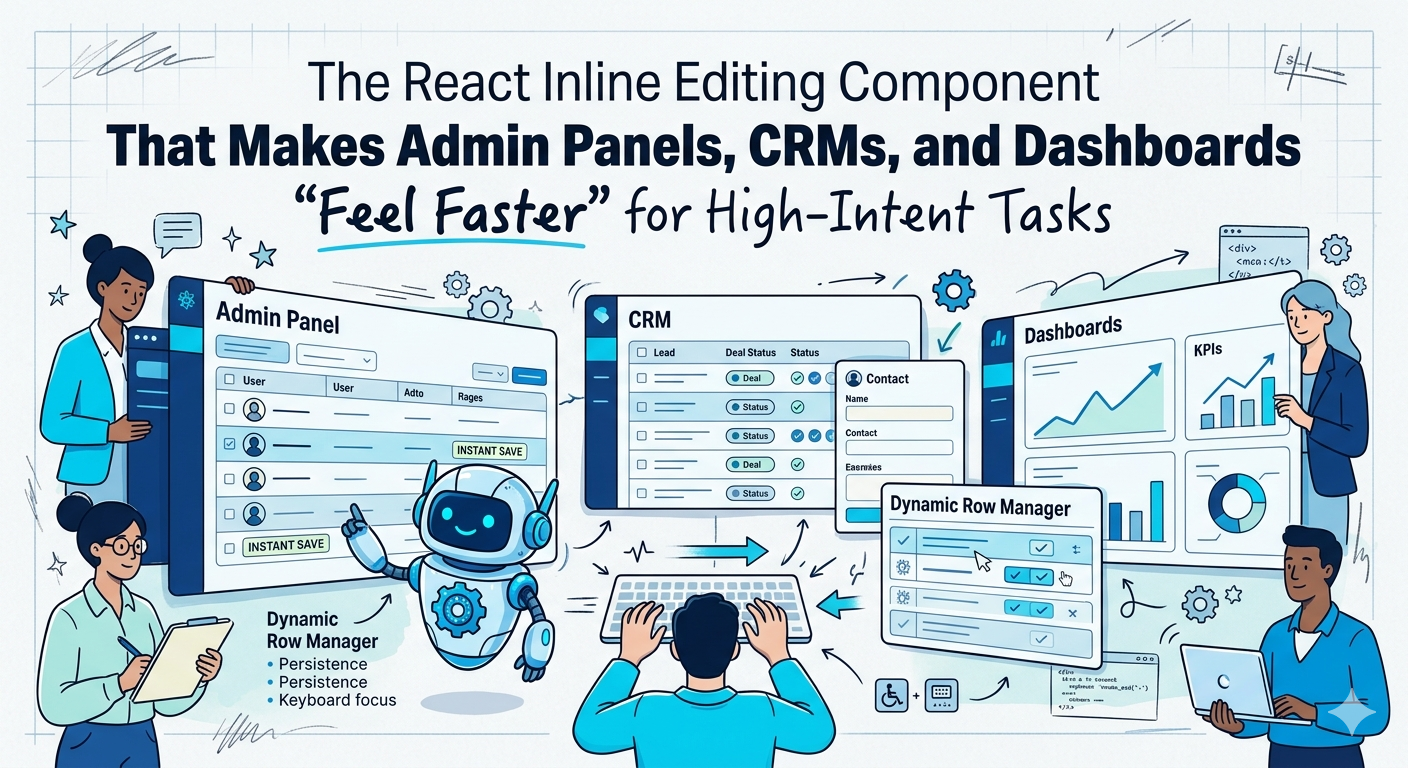
If your product has lists, tables, queues, pipelines, or records, you are not building “just CRUD.”
You are designing repeated workflows.
And repeated workflows are where products either feel effortless or expensive.
That is why small interaction choices matter more than teams think. A slow page is obvious. A clunky edit flow is quieter. It hides in the product. It steals seconds, breaks focus, and trains users to expect friction.
Over time, that compounds.
Google says users are 24% less likely to abandon a page when it meets Core Web Vitals, and Google Search Central still recommends strong page experience thresholds for loading, responsiveness, and visual stability: LCP within 2.5 seconds, INP under 200 milliseconds, and CLS under 0.1. On the business side, PwC’s 2025 Customer Experience Survey found that 52% of consumers stopped using or buying from a brand after a bad product or service experience, and 29% stopped because of poor customer experience.
That is the backdrop for Dynamic Row Manager.
It is a small but mighty React project, but it solves a very real product problem: list editing that feels heavier than it should.
This is not another throwaway to-do list demo. It is a production-ready React inline editing component pattern for apps that live or die by how quickly users can update data without losing context.
Think project trackers. Inventory tools. Admin panels. CRMs. Internal ops software.
If your users touch rows all day, the editing experience is the product.
The real problem: most list editing still breaks momentum
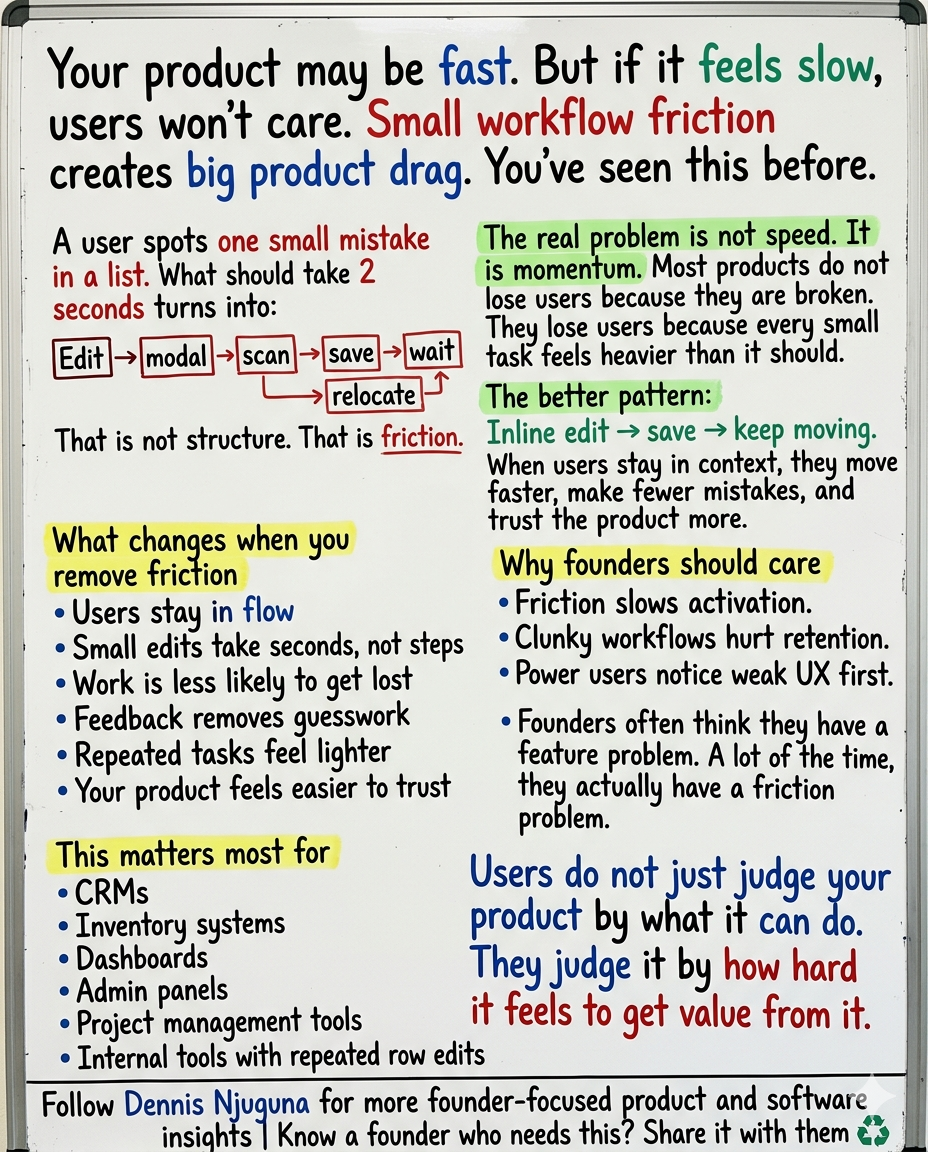
Picture a user scanning a list of 50 items.
They spot one typo.
In too many apps, the flow still looks like this:
⤷ Click Edit.
⤷ Wait for a modal.
⤷ Find the right field.
⤷ Change the value.
⤷ Click Save.
⤷ Wait again.
⤷ Close the modal.
⤷ Find your place in the list.
That may sound organized in a product spec.
In practice, it is friction.
Nielsen Norman Group notes that data tables should support four common tasks, and one of them is exactly this: view, edit, or add a single row’s data. In other words, row-level editing is not a corner case. It is a core job that the interface should support well.
That is why my view here is simple: If a user is making a small, local change to one row, a modal should not be your default.
Modals are useful when the task is complex, risky, or genuinely multi-step. They are overkill for routine edits.
For simple edits, inline beats interruption.
Why a React inline editing component is the right default for list-heavy apps
A good React inline editing component does more than save clicks.
It preserves momentum.
That sounds soft, but it is not. Momentum is what keeps users moving through work without hesitation, second-guessing, or reorientation.
When editing happens inline:
- users stay in context
- the row they care about remains visible
- the system can confirm success immediately
- the cost of “one quick change” stays small
That last point matters. Once the interaction cost rises, people postpone edits, batch them badly, or make fewer of them. None of those outcomes helps product quality.
There is a similar lesson in forms. Baymard’s 2024 research found that 31% of benchmarked sites still do not provide inline validation, even though inline feedback helps users catch and correct errors while the input is still fresh in mind.
Different UI pattern, same lesson: Feedback that arrives inside the flow beats feedback that arrives after the flow is broken.
What Dynamic Row Manager gets right
Dynamic Row Manager is intentionally compact, but the important parts are not cosmetic. They are the details that turn a demo into a usable product pattern.
1) Inline editing that keeps users in flow
Instead of throwing the user into a modal, the row itself becomes editable in place.
That means the task stays anchored to the user’s current visual context.
Here is the basic idea:
That is simple React, but it delivers a meaningfully better interaction pattern.
No detour. No mental reset. No unnecessary ceremony.
2) Persistence that protects user trust
There is a reason users hate losing work more than they hate waiting.
Work loss feels personal.
Dynamic Row Manager uses localStorage to persist changes automatically:
This is small, but powerful. A refresh, crash, or accidental tab close does not erase progress.
That said, autosave alone is not enough. Nielsen Norman Group warns that autosave without visible feedback can confuse users because many still expect a clear “saved” signal. Users want efficiency, but they also want control and confirmation.
So the right pattern is not “autosave and hope.”
It is autosave plus visible status.
3) Visual feedback that removes “did that work?” doubt
Users should never have to guess whether the system accepted an action.
Nielsen Norman Group visibility-of-system-status heuristic is blunt about this: systems should keep users informed about what is going on, through appropriate feedback, within reasonable time. The reason is simple. Feedback reduces uncertainty, duplicate clicks, and hesitation.
Dynamic Row Manager leans into that.
New rows highlight. They scroll into view. Changes are visible where they happen.
That matters more than teams admit.
Google’s latest Material research is especially useful here. In 46 studies involving more than 18,000 participants, Google found that expressive cues like size, color, motion, and containment helped users spot key UI elements up to four times faster. Google also tested progress indicators specifically for whether they made waiting feel faster.
That is the bigger point: Good feedback is not decoration. It is navigation.
4) Keyboard-first support for repeat users
Keyboard support is one of those features that looks “advanced” until you watch real people use a system all day.
Then it becomes obvious.
Power users do not want to leave the keyboard for every edit, confirm, or cancel. They want acceleration. Nielsen Norman Group explicitly calls shortcuts and accelerators a key part of efficient systems for expert users.
Dynamic Row Manager respects that with keyboard-friendly flows like Enter, Escape, and tab-based movement.
That is not just polish. That is throughput.
5) Permission-aware rows for real-world business rules
Not every row should be editable.
Some rows represent completed orders, in-transit inventory, approved records, or data that should be locked after a certain state transition.
Dynamic Row Manager supports row-level controls like editable vs. removable flags, which means the component can respect business rules without forcing the whole interface into a slower workflow.
That is the difference between a cute component and one that survives contact with production.
6) Accessible interactions that widen the usable surface area
Accessibility is not a niche requirement.
It is core product quality.
CDC says more than 1 in 4 adults in the United States, or 28.7%, have some type of disability. Meanwhile, WebAIM’s 2025 Million report found 50,960,288 detectable accessibility errors across one million home pages, averaging 51 errors per page.
That is a brutal gap.
Dynamic Row Manager addresses some of the basics that too many “demo” projects skip:
- keyboard navigation
- focus handling
- modal confirmations with clear affordances
- ARIA-friendly interaction patterns
- visible feedback instead of silent state changes
That is what production-ready should mean.
Not just “it works on my machine.”
It works for real users in real conditions.
Why this project is more than a demo
A lot of React demos optimize for the screenshot.
Dynamic Row Manager optimizes for repeated use.
That is the right priority for business software.
Here is what makes it strong from an engineering perspective:
1) Lean architecture
It relies on React hooks and minimal dependencies rather than heavy state tooling. That keeps the bundle smaller, the mental model cleaner, and integration easier.
2) Modular components
Buttons, inputs, modals, and switches are reusable. That means the project scales from “showcase component” to “extractable UI pattern.”
3) Clear data flow
A single list state, edit state, refs for focus and scrolling, and effect-driven persistence. Easy to reason about. Easy to test. Easy to evolve.
4) Easy migration path
localStorage is the right demo and MVP persistence layer. In production, the same interaction model can be wired to your API, optimistic updates, and background sync without rethinking the UX.
5) Honest performance boundaries
For a few hundred rows, this pattern is fine. If you expect thousands, add virtualization. That is not a flaw. It is just the right architectural next step.
The business case for better inline editing
This is where founders and product leaders should pay attention.
You do not need a massive redesign to improve perceived product quality.
You often need a better editing flow.
The evidence here is not theoretical. T-Mobile’s 2025 web.dev case study reported a 20% reduction in user site issues and a 60% improvement in visit-to-order rate after improving web performance and Core Web Vitals. Renault found that a one-second improvement in LCP correlated with a 13% increase in conversions and a 14 percentage point drop in bounce rate.
Those studies focus on web performance more broadly, but the lesson translates cleanly: Faster-feeling, lower-friction interfaces improve business outcomes.
A React inline editing component helps because it reduces:
- context switching
- wasted clicks
- delayed corrections
- uncertainty after save actions
- frustration for high-frequency users
And it increases:
- task speed
- confidence
- completion rate
- data accuracy
- perceived product competence
That is a lot of leverage for one small UI pattern.
Where this pattern pays off fastest
Dynamic Row Manager is especially useful in products where people repeatedly edit records in place.
1) Project management tools
Quick status updates, task renames, due date corrections, and priority changes should not require modal gymnastics.
2) Inventory and operations systems
When stock counts, SKU labels, or shipment states need fast correction, context matters. Errors compound quickly in these systems.
3) CRMs
Sales reps should be able to update contacts, deal labels, and notes without losing the page they are working through.
4) Admin panels
Internal tools often get a free pass on UX. They should not. Repetitive workflows punish bad interaction design harder than flashy consumer apps do.
When inline editing is the wrong choice
This is important because good product advice is not “use inline editing everywhere.”
Do not use inline editing by default when:
- the change is high risk or destructive
- the task spans multiple related fields and needs review
- the action requires legal, financial, or irreversible confirmation
- the edit needs strong validation before commit
In those cases, a modal or dedicated edit screen can still be the right pattern.
The principle is not “avoid modals.”
It is: Match the interaction cost to the task.
For a one-line fix, keep it light.
For a high-stakes change, slow it down on purpose.
Final take
Dynamic Row Manager proves something a lot of teams forget: A small component can solve a big product problem.
This project is not impressive because it is flashy.
It is impressive because it understands what repeated work feels like in the hands of a real user.
That is the standard I care about when building software.
One smart internal-linking move: connect this article to your services page, your React/engineering page, and any portfolio or case-study page that shows product workflow.
Share this article
Send it to someone who would find it useful.