Efficiency, scalability, and seamless integration are crucial in software development. GitHub Actions, Kubernetes, and Docker collectively revolutionize how developers and organizations streamline their workflows, ensuring operational excellence.
Software development today faces numerous challenges:
- Fragmented Workflows: Development, testing, and deployment often occur in silos, leading to inefficiencies.
- Scalability Issues: Ensuring consistent performance and availability as applications grow is challenging.
- Resource Management: Efficiently utilizing resources while maintaining performance is a constant struggle.
- Security Concerns: Protecting applications from vulnerabilities is more critical than ever.
Many organizations rely on legacy CI/CD pipelines, which often suffer from:
- Complex Configuration: Setting up and maintaining these pipelines can be cumbersome and error-prone.
- Limited Integration: These solutions may not seamlessly integrate with modern tools and technologies.
- Scalability Constraints: Scaling applications and managing resources efficiently can be challenging.
Manual deployment remains prevalent, with several drawbacks:
- Error-Prone: Human errors can lead to deployment failures and inconsistencies.
- Time-Consuming: Manual processes are slow, delaying the release of new features and updates.
- Lack of Standardization: Inconsistent deployment practices can lead to varied performance across environments.
Leveraging GitHub Actions, Kubernetes, and Docker
1. GitHub Actions: Automating Workflows
Seamless Integration
GitHub Actions integrates directly into GitHub repositories, allowing developers to define, customize, and execute workflows within the familiar GitHub environment.
Below is a GitHub Actions workflow for automating testing and building a Node.js application.
This workflow triggers on pushes or pull requests to the main branch, automatically running tests to validate your codebase.
Automated Processes
GitHub Actions automates workflows triggered by events like pushes, pull requests, or scheduled intervals, making build, test, and deploy processes effortless, enhancing collaboration and productivity.
Flexibility
Supporting a wide range of programming languages and technology stacks, GitHub Actions ensures that developers can build, test, and deploy applications in their preferred environments.
2. Kubernetes: Managing Containers at Scale
Container Orchestration
Kubernetes automates the deployment, scaling, and management of containerized applications, ensuring scalability and efficiency.
Below is a Kubernetes YAML configuration for deploying a simple Nginx server:
This configuration deploys three replicas of an Nginx server and exposes it via a LoadBalancer service, enabling high availability and scalability.
High Availability
With Kubernetes, achieving high availability is straightforward. Applications can scale based on demand, ensuring optimal performance and resource utilization.
Service Discovery and Load Balancing
Kubernetes offers built-in service discovery and load balancing, allowing applications to communicate seamlessly. Traffic is intelligently distributed, enhancing application reliability and responsiveness.
3. Docker: Ensuring Consistency
Consistent Performance
Docker encapsulates applications and their dependencies, ensuring consistent performance across different environments, eliminating the "it works on my machine" problem.
Dockerizing an Application
Build and run the Docker container:
Resource Efficiency
Docker containers are lightweight and share the host OS kernel, making them resource-efficient. Combined with Kubernetes, containers can be rapidly started or stopped, enabling swift deployment and scaling.
Microservices Support
Docker's containerization aligns with the microservices architecture, allowing developers to break down complex applications into smaller, independently deployable services, fostering scalability and maintainability.
Combining Forces: GitHub Actions, Kubernetes, and Docker
Streamlined DevOps Pipeline
GitHub Actions integrates seamlessly with Kubernetes and Docker, forming a robust DevOps pipeline that supports continuous integration, continuous deployment (CI/CD), and collaboration between development and operations teams.
Below is a workflow that builds a Docker image and deploys it to a Kubernetes cluster:
This workflow builds a Docker image, pushes it to Docker Hub, and deploys it to a Kubernetes cluster, automating the entire CI/CD process.
Scalability and Efficiency
Kubernetes and Docker ensure the scalability and resource efficiency of applications, while GitHub Actions orchestrates workflows that leverage containerization and efficient deployment.
Security and Reliability
Kubernetes manages access control, secrets, and network policies, complemented by Docker's container isolation, creating a secure and reliable environment for deploying and managing applications.
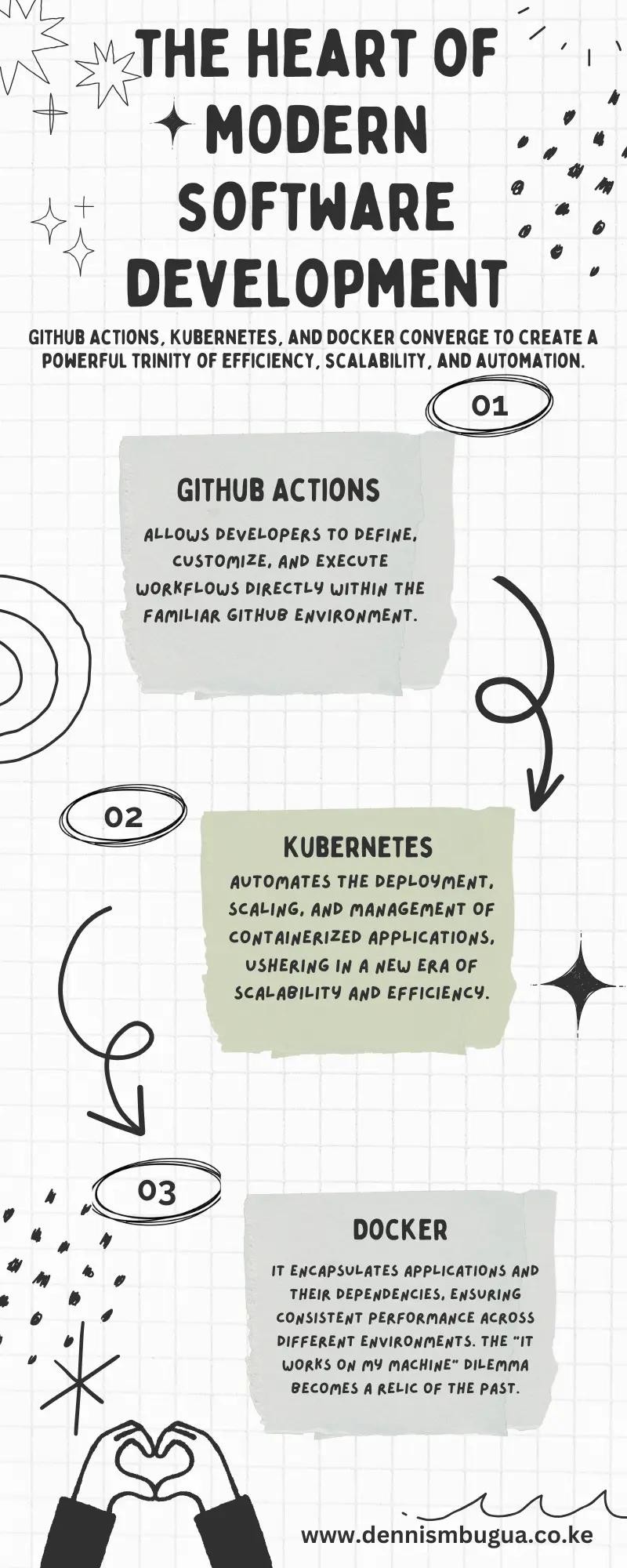
It's evident that the synergy between GitHub Actions, Kubernetes, and Docker heralds a new era in DevOps. Developers and operators can now navigate the complexities of modern software development with confidence, knowing that this powerful trio is at their service.
Further Reading
- Revolutionizing Software Development for a Future of Efficiency and Innovation↗
- GitHub Actions Unveiled↗
Market Studies and Statistics
- According to a recent survey, 87% of organizations using GitHub Actions reported improved deployment efficiency.
- Kubernetes adoption has grown by 48% year-over-year, with companies citing scalability as the primary benefit.
- Docker's containerization technology is utilized by over 50% of global enterprises to streamline application deployment.
By embracing these tools and methodologies, you can transform your software development processes, ensuring efficiency, scalability, and security at every level.
Share this article
Send it to someone who would find it useful.