What is React i18n?
React i18n is the process of making a React application work across multiple languages and locales. In practice, that includes translating UI strings, formatting dates and numbers correctly, supporting language switching, and managing translation resources in a way that scales.
If you’ve ever landed on a website, looked around for five seconds, and hit the back button because nothing felt clear, you already understand the business problem.
That wasn’t just a content issue.
That was a conversion issue.
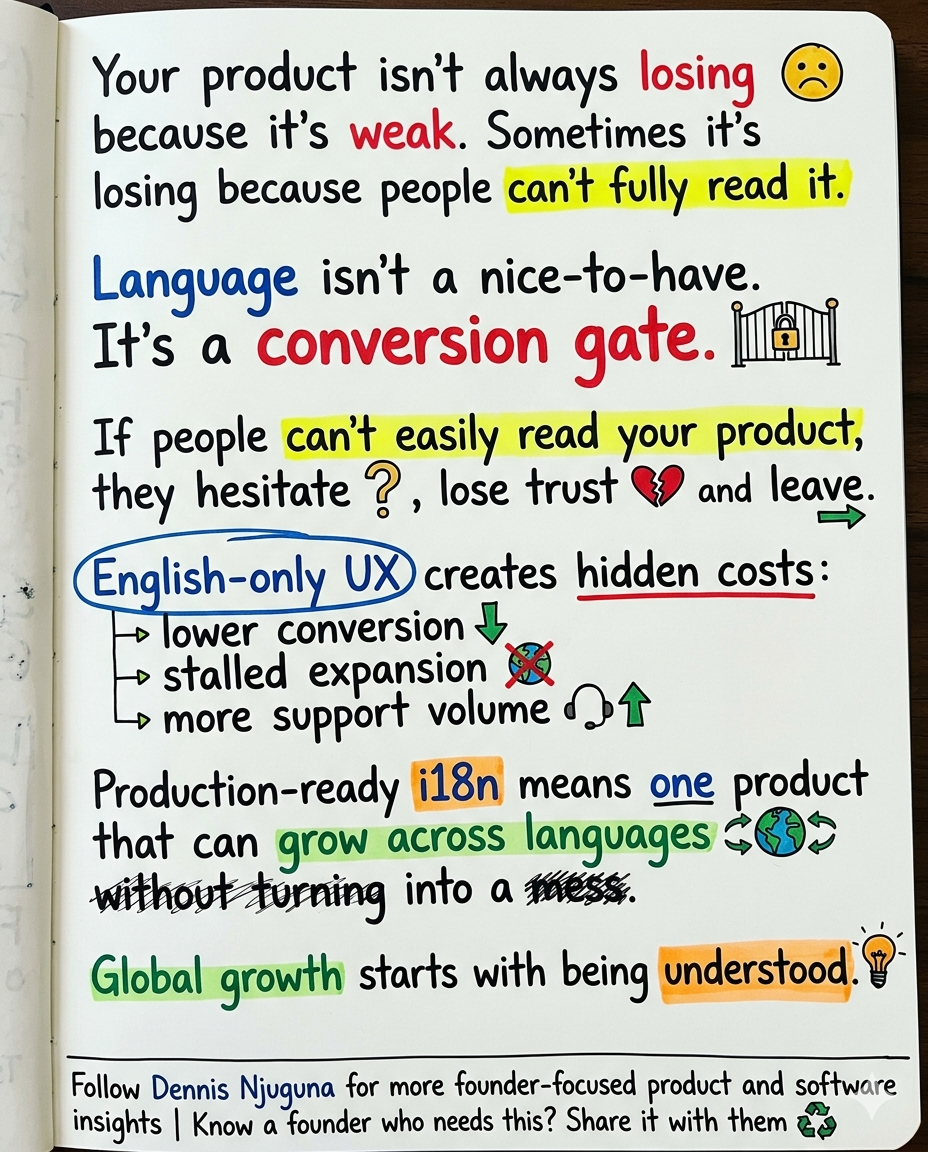
Language is not a nice extra for “later.”
Language is a gate.
If people cannot comfortably read your product, they hesitate. They mistrust what they’re seeing. They second-guess important actions. And in many cases, they leave before they ever reach the part of your funnel where your product gets a fair shot.
One of the clearest signals on this comes from CSA Research. In its survey of 8,709 consumers across 29 countries, 76% said they prefer buying products with information in their own language, and 40% said they will not buy from websites in other languages. That is not a cosmetic UX insight. That is a market-access warning.
That is exactly why React i18n matters.
Not because “global” sounds ambitious.
Because readable products convert better than confusing ones.
This project is a production-ready internationalization setup built with React + i18next + react-i18next. It is intentionally small, so you can lift it into a real product without rewriting your UI stack. The point is not to impress people with a demo. The point is to give teams a clean multilingual foundation they can actually ship.
The real problem React i18n solves
Most products do not fail internationally because they lack features.
They fail because they do not communicate clearly enough for users to trust the next step.
That usually shows up in predictable places:
- Users hesitate during signup, checkout, onboarding, or support flows.
- Teams start handling each region as a one-off and slowly drift into multiple product variants.
- Translation gets pushed late, strings stay hardcoded, keys go untracked, and regressions start creeping into releases.
This is not theoretical. Even outside software, clarity changes behavior. Pew Research found that only 34% of U.S. adults say it is extremely or very easy to know whether to tip, and only 33% say the same about knowing how much to tip. That is friction created by ambiguity alone. Add a language barrier on top of that, and the trust gap gets worse fast.
A strong React i18n setup solves the boring but expensive problems early:
- consistent translation keys
- instant language switching
- persistent language preference
- safer interpolation and rendering patterns
- one product, not one codebase per region
That is the difference between “we translated a few screens” and “we can actually grow this product without turning localization into chaos.”
Why use i18next with React?
Because it gives you a mature translation engine plus React-friendly bindings. The i18next API supports language switching through changeLanguage, while react-i18next gives you hooks, components, HOCs, and render-prop patterns to surface translations cleanly in the UI.
Who this is for
This setup is useful if you are in any of these buckets:
- You are a founder or business leader expanding into new markets and you do not want language friction quietly crushing conversion.
- You are on a product team trying to improve trust and completion rates in non-English markets.
- You are an engineering team that wants a React i18n foundation that will still be maintainable six months from now.
- You are in a compliance-sensitive environment where multilingual access is expected, audited, or non-negotiable.
That last point matters more than many teams realize. In Canada, the Official Languages Act exists to ensure equality of status and rights for English and French in federal institutions, including communication and services to the public. In the EU, institutions operate in a multilingual reality that includes 24 official languages.
So yes, localization can be a growth lever.
In some sectors, it is also part of the operating environment.
Does multilingual SEO require separate URLs?
Google recommends separate URLs for different language versions of a page and advises using hreflang annotations to help Search route users to the correct language version.
The approach: one product, many languages
The philosophy behind this implementation is simple: Ship one product. Speak many languages. Don’t fork the codebase unless you absolutely have to.
That means three practical things:
- First, centralize translation resources and configuration.
- Second, make language switching feel instant.
- Third, remember the user’s choice so the product respects them on the next visit.
That combination is what makes React i18n feel like product infrastructure instead of a patch.
What this React i18n implementation includes
At the core, this project uses i18next as the translation engine and react-i18next as the React binding layer. The i18next API explicitly documents changeLanguage as the way to switch the active language, and the react-i18next docs show how to wire i18next into React so translated content can re-render cleanly across components.
1) Instant language switching
For the user, this is the obvious win: they can switch into the language they trust most without a full page reload.
For the business, this reduces friction in forms, settings, billing, checkout, and support flows.
Under the hood, i18n.changeLanguage(lang) updates the active language, and bound React components re-render with the correct strings. That is why switching can feel immediate when translations are already loaded.
2) Persistent language preference
This is one of those details that seems small until it is missing.
Nobody wants to “fix the language” every time they come back to your app.
This pattern respects the user, lowers repeat friction, and makes your product feel more mature.
3) Clean keys and safer interpolation
Good React i18n is not just about translating words. It is about making your translation layer maintainable.
Stable keys like checkout.pay_now age much better than literal strings spread around your UI.
On interpolation, the nuance matters. The react-i18next setup docs show escapeValue: false in React because React escapes rendered values by default, which avoids double-escaping in standard rendering paths. But i18next also documents that interpolation values are escaped by default for XSS protection, and warns that if you disable escaping you must escape any user input yourself. In plain English: this setup is safe when you stay inside normal React rendering patterns, but you still need to treat user-provided HTML or unsafe rendering paths carefully.
4) A translation API that works across component styles
If your codebase mixes function components and older class components, you do not need to rebuild everything to adopt React i18n.
The react-i18next docs still support the Translation render prop for accessing t or the i18n instance inside either class or function components.
That makes this setup practical for real products, not just greenfield demos.
Architecture, in plain English
At a high level, the flow looks like this:
And at runtime, the sequence is straightforward:
- The user changes the language from a selector
- Your app stores that preference
i18n.changeLanguage()switches the active locale- Subscribed components re-render with translated strings
- On refresh or return, the saved language is restored
That is what makes the experience feel fast and predictable.
Why this matters to the business
This is where React i18n stops being “frontend plumbing” and starts becoming a growth feature.
1) E-commerce: reduce hesitation at the point of purchase
If product details, shipping info, error states, return policy, or payment confirmation are hard to understand, people hesitate.
And hesitation at checkout is expensive.
CSA Research’s consumer data is the headline stat here: 40% of shoppers said they would not buy from a site in another language. If your store is English-only and you are trying to sell globally, that is not a minor optimization gap. That is lost demand.
2) SaaS and B2B: expand without multiplying technical debt
B2B buyers do not just buy features. They buy confidence.
If onboarding, team settings, permissions, billing, and support flows feel linguistically foreign, trust drops fast. And when companies handle that problem by region-specific hacks, they slowly drift into product forks, slower releases, and inconsistent UX.
A clean React i18n architecture lets you keep one product while expanding the surface area of who can use it.
3) Education: comprehension is part of the product
In education products, language is not just wrapping. It directly affects outcomes.
When learners spend cognitive energy decoding the interface instead of moving through the content, the product gets harder than it should be. That is bad for completion, confidence, and retention.
4) Public sector and regulated workflows: language is structural
In public services, government, and adjacent regulated spaces, multilingual support is often part of trust, access, and compliance, not just brand polish. Canada’s federal language framework and the EU’s 24-language institutional environment are good reminders that “English-first and maybe later” is not always an acceptable operating model.
5) Healthcare: miscommunication carries real risk
Healthcare is the clearest example of why this work matters beyond conversion.
A widely cited review on language barriers in healthcare found that language barriers reduce satisfaction, weaken communication, and negatively affect quality and patient safety. A 2025 review of 336 patient safety events in Pennsylvania found language-barrier-related issues across interpretation, translation, clinical processes, and patient impact; the study reported that interpretation was not used in many cases because a certified interpreter was unavailable, and the most commonly reported patient impact was missed or delayed care.
If your product touches health workflows, multilingual UX is not just a growth feature. It is part of reducing preventable confusion.
Production considerations leaders should care about
Performance vs. bundle size
This demo style works well when translations are loaded upfront and language switching needs to feel instant.
As your product grows, you will probably move toward:
- route-level or feature-level namespaces
- lazy-loaded translation bundles
- CDN-served locale files with caching
- preloading only the “core UI” strings
The react-i18next docs explicitly support namespaces and loading patterns that help larger apps keep translation files manageable.
Multilingual SEO
If you want localized pages to rank, URL strategy matters.
Google recommends using different URLs for different language versions of a page rather than relying on cookies or browser settings to swap content. Google also recommends using hreflang annotations so Search can send users to the right language version.
That means your React i18n layer and your SEO strategy should work together, not separately.
Accessibility
Language switching and accessibility usually travel together.
If you are improving readability for multilingual users, you should also care about contrast, focus states, and readable layouts. WCAG 2.1 sets a minimum contrast ratio of 4.5:1 for normal text and 3:1 for large text.
That is not just an accessibility checkbox. It is part of making the interface easier to trust and easier to use.
Suggested image alt text: “Language selector dropdown switching the UI between English, German, Spanish, Italian, and Chinese in a React app.”
Final take
Internationalization is one of those engineering investments that reaches far beyond engineering.
- It affects reach.
- It affects trust.
- It affects conversion.
- It affects support load.
- And it affects whether your team can scale one product cleanly instead of managing regional complexity forever.
The business case is not subtle. If 76% prefer product information in their own language and 40% will not buy from sites in other languages, then English-only UX is not just a limitation. It is a revenue filter.
That is why I treat React i18n as a growth feature, not a translation afterthought.
I help founders build scalable, production-grade software that supports growth.
If you are preparing your product for new markets and want a multilingual foundation that will not turn into technical debt six months from now, book a discovery call↗.
Share this article
Send it to someone who would find it useful.